
Smart Home Technology for Accessible Living: The Complete Guide
For most homeowners, smart home technology is a convenience. For buyers with mobility challenges, chronic pain, neurological conditions, low vision, or aging-in-place needs, it can be something more fundamental: the difference between dependence and independence.
The smart home features available in 2026 have quietly transformed what accessible living looks like in practice. Most of these systems have become affordable enough to be realistic for everyday buyers, not just luxury markets.
1. Voice-Controlled Assistants: The Foundation
Best for: Mobility impairments · Upper extremity limitations · Low vision · Chronic fatigue
Amazon Alexa, Google Assistant, and Apple’s Siri-based home system represent the backbone of most accessible smart home setups. A well-configured voice assistant can perform dozens of physical tasks without requiring the user to move, grip, reach, or navigate an interface.
- Lighting (on, off, dimmed to any level)
- Door locks and deadbolts
- Window blinds and shades
- Thermostat adjustments
- Television and entertainment systems
- Phone calls and emergency contact
- Medication and appointment reminders
Setup cost: $50–$200 for smart speakers; most devices come pre-configured for voice assistant compatibility
2. Smart Lighting: Safety Infrastructure
Best for: Low vision · Mobility impairments · Fall prevention · Nighttime safety
Poor lighting in hallways, bathrooms, and stairways is a leading contributing factor to falls—the number one cause of injury-related death among adults 65 and older, according to the CDC.
- Motion-activated lighting eliminates the need to find a switch while maneuvering a walker or wheelchair
- Voice-activated lighting means residents don’t need to navigate to a switch before they can safely see
- Adjustable color temperature supports visual clarity and reduces glare for conditions like macular degeneration
- Programmed schedules reduce daily cognitive load of managing a home
Setup cost: Smart bulbs $8–$25 each; full-room smart lighting $150–$600 per room
3. Smart Thermostats: Temperature Without Physical Reach
Best for: Arthritis · Limited hand function · Mobility impairments · Fatigue conditions
Smart thermostats solve the problem of small, hard-to-press controls through voice control, app-based adjustments, caregiver remote access, and automated scheduling. ENERGY STAR-certified models reduce heating and cooling costs by an average of 8%, per EPA data.
Setup cost: $150–$300 for premium models; professional installation adds $75–$150
4. Smart Locks and Video Doorbells
Best for: Mobility impairments · Grip limitations · Conditions requiring caregivers or aides
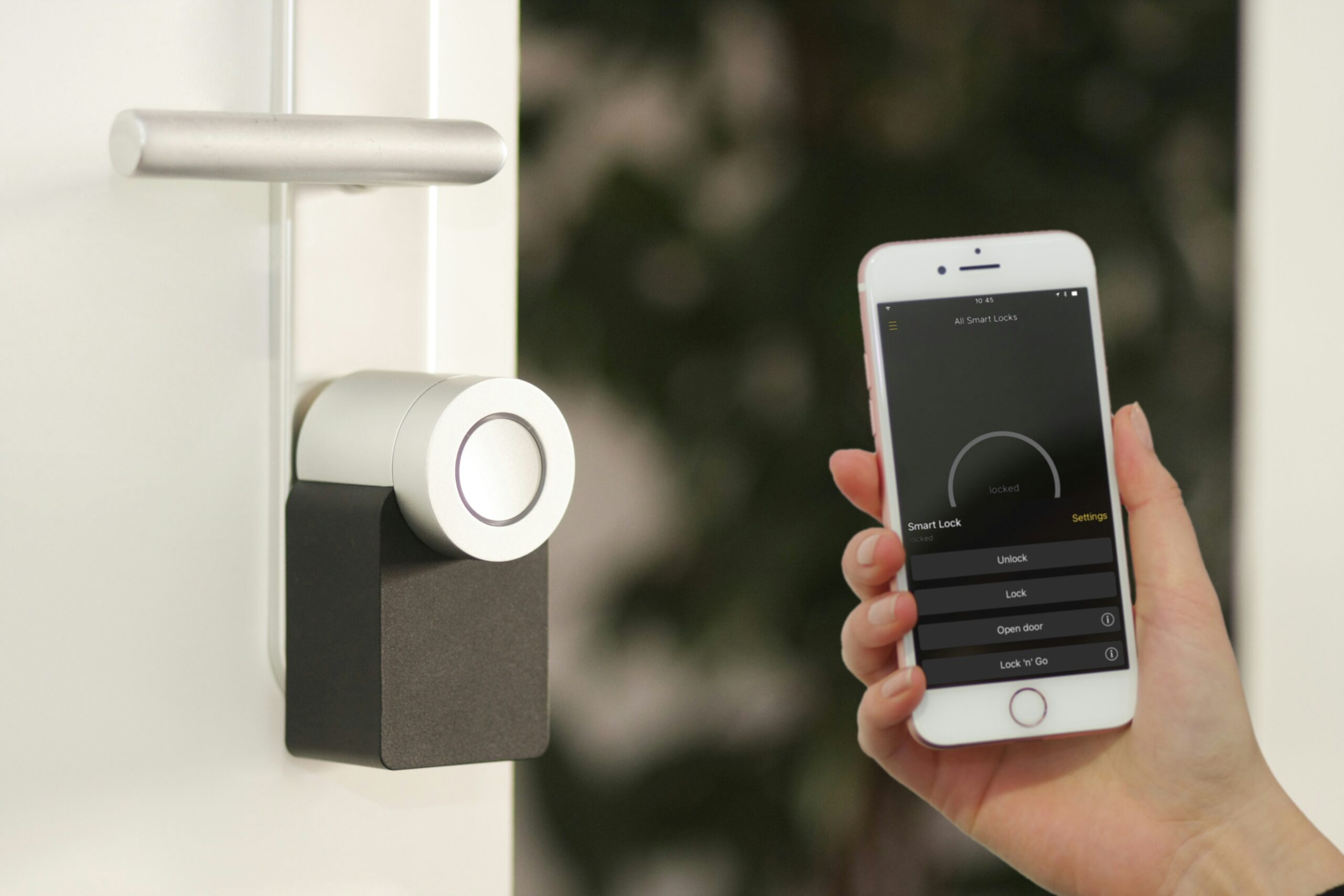
For buyers who can’t grip a key, rush to the door, or safely approach without knowing who is there, smart locks and video doorbells are essential accessibility features. Temporary access codes can be assigned to caregivers and aides—and revoked immediately when no longer needed.
Setup cost: Smart locks $150–$350; video doorbells $100–$250. Most integrate with existing deadbolt hardware.
5. Automated Window Treatments
Best for: Upper extremity limitations · Shoulder conditions · Wheelchair users · Fatigue
Motorized blinds respond to voice commands, app control, or scheduled automation with no physical manipulation required. Costs have dropped significantly—basic motorized shades start around $100–$150 per window, making this one of the highest-value accessibility investments per dollar spent.
6. Fall Detection and Emergency Response
Best for: Fall risk · Rehabilitation · Anyone living alone with a disability or chronic condition
- Apple Watch Series 9/Ultra and Samsung Galaxy Watch detect hard falls automatically and contact emergency services
- Bed and chair exit sensors alert caregivers when someone gets up—useful for high fall risk or cognitive conditions
- Bathroom radar sensors (Vayyar, Bay Alarm Medical) detect falls without cameras, preserving privacy
- Ambient monitoring (Best Buy Health/Lively, Amazon Halo) tracks movement patterns passively
- Voice-activated emergency calls via smart speaker are standard across all major platforms
7. Smart Appliances
Best for: Limited mobility · Limited grip · Low vision · Cognitive conditions
- Push-to-open refrigerator doors reduce grip requirements
- Voice-controlled microwaves and ovens allow hands-free operation
- Induction cooktops with app or voice control reduce burn risk
- Screen-reader compatible interfaces support low vision users
- Washer and dryer smartphone alerts eliminate the need to monitor laundry
- Robotic vacuums significantly reduce physical floor maintenance demands
Important Context: Smart Technology Enhances, It Doesn’t Replace
Smart home technology is most powerful when layered on top of sound physical accessibility features—not substituted for them. The physical features of an accessible home (zero-step entry, 36-inch doorways, roll-in shower, open floor plan) remain the foundation. Smart home technology makes a physically accessible home more functional, more independent, and more responsive to the specific needs of its resident.
Frequently Asked Questions
Q: Does smart home technology work for buyers with cognitive conditions like dementia?
Yes, with appropriate setup. Voice assistants, automated lighting, and medication reminder systems can significantly support independent living for people with mild to moderate cognitive conditions. Passive monitoring systems are specifically designed to support safety without requiring the user to operate any device.
Q: How much does a full smart home accessibility setup cost?
A basic functional setup—smart speaker, smart lighting in key rooms, smart lock, video doorbell, and a smart thermostat—can be assembled for $500–$1,200. A comprehensive setup might run $3,000–$8,000. Most buyers implement incrementally.
Q: What’s the best smart home ecosystem for accessibility?
Amazon Alexa has the broadest device compatibility and most mature accessibility feature set. Google Assistant offers strong natural language processing. Apple HomeKit provides the highest privacy protection and integrates tightly with Apple Watch. All three support the Matter standard for cross-platform compatibility.
Q: Can smart home technology help caregivers support a family member remotely?
Yes—this is one of the most valuable use cases. Smart lock codes, thermostat adjustments, bed exit sensor alerts, video doorbell views, and two-way smart speaker communication all support remote caregiver involvement. This is particularly valuable for adult children managing the safety of aging parents from a distance.
Q: Are smart home accessibility features tax deductible?
Smart home devices installed for medical necessity and documented by a physician may qualify as a medical expense deduction under IRS rules. Consult a tax professional with experience in disability-related home modifications.
BarrierFreeHome.com is America’s dedicated marketplace for accessible, wheelchair-accessible, and barrier-free homes. Search by the features that matter to you at BarrierFreeHome.com.